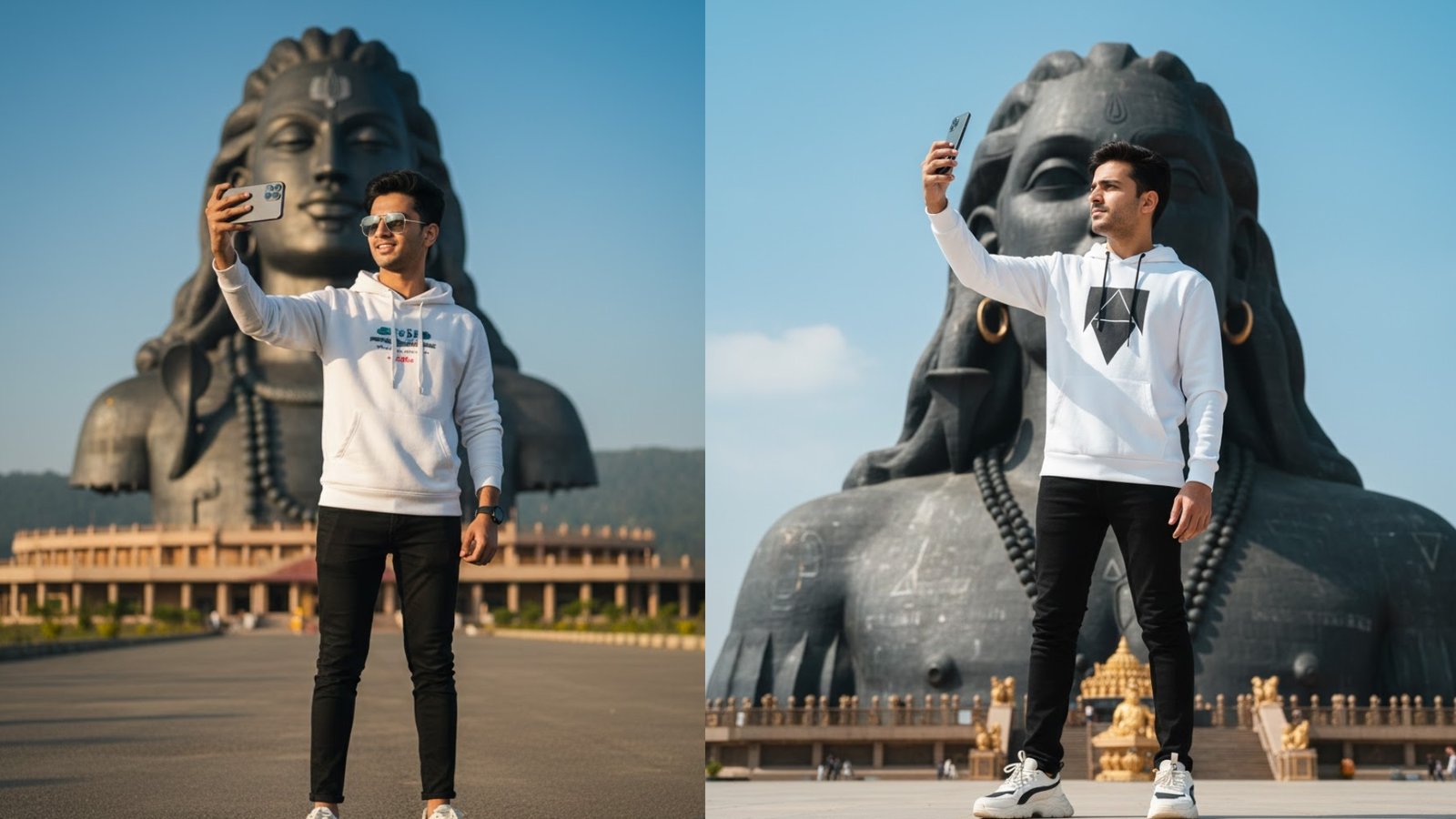
Creating a high-quality, realistic photo in Gemini requires more than just a simple description. Gemini works best when it is guided clearly about the subject, identity consistency, clothing, location, camera style, and lighting. The following approach explains how to use a structured prompt to generate a cinematic image while keeping facial features consistent.
First, it is important to clearly lock the facial identity. When you want the face to remain unchanged, Gemini must be told explicitly not to alter facial features. In this case, mentioning “Without changing the facial features (Twar Edge)” at the very beginning of the prompt is critical. This signals to Gemini that the face should stay exactly the same and only age, outfit, pose, or environment should vary.
Second, the age and appearance of the subject must be clearly defined. Stating that the subject is a “young boy (17–18 years old)” helps Gemini maintain the correct proportions and youthful look. Avoid vague age terms like “teen” alone, as they can cause inconsistency.
Third, clothing details should be specific and modern. Listing items such as a white graphic hoodie, black slim-fit joggers, and stylish white sneakers helps Gemini generate a fashionable, contemporary look. The more precise the clothing description, the better the output quality.
Next comes the location, which is a crucial part of realism. Mentioning “Adi Yogi Mahadev in Coimbatore, Tamil Nadu” grounds the image in a real, recognizable place. Gemini responds well to well-known landmarks, especially when the location is named clearly and correctly. This also helps scale and composition, ensuring the statue appears grand and dominant in the frame.
The action in the image is equally important. Saying that the boy is taking a selfie with an iPhone 17 Pro Max gives Gemini a clear interaction. Including the phone model adds realism and modern context, while specifying “taking a selfie” helps Gemini choose the correct arm position and camera angle.
Camera and visual style instructions should always come near the end of the prompt. Phrases like “crisp, cinematic DSLR photography style,” “realistic natural lighting,” and “4K clarity” tell Gemini to avoid cartoonish or painterly outputs. These terms push the model toward photorealism and professional photography aesthetics.
Below is the exact prompt you should paste into Gemini:
Prompt:
“Without changing the facial features (Twar Edge), a young boy (17–18 years old) wearing modern casual clothes — a white graphic hoodie, black slim-fit joggers, and stylish white sneakers — is standing in front of Adi Yogi Mahadev in Coimbatore, Tamil Nadu. He is taking a selfie with an iPhone 17 Pro Max. The scene is captured in crisp, cinematic DSLR photography style with realistic natural lighting and 4K clarity, highlighting both the boy’s outfit and the grandeur of the statue.”
When using this prompt in Gemini, paste it as a single block of text. Avoid adding emojis or unrelated instructions. If Gemini produces a square image and you want a vertical or horizontal one, you can add a final line such as “Portrait orientation, 9:16” or “Wide cinematic framing.”
Finally, if the first result is not perfect, refine gently. Strengthen words like “ultra-realistic,” “sharp focus,” or “photograph-like,” but avoid changing the core structure. With clear identity locking, precise clothing, real location, and strong camera instructions, Gemini can generate highly realistic and visually impressive images.
Leave a Reply